Street Food Icons: Your Culinary Design Toolkit
Whether you're designing a website for a food truck, creating a menu app, or putting together a vibrant poster for a market stall, the imagery you choose sets the tone. For many creators, finding the perfect icon set that bridges the gap between authenticity and clean usability can be a frustrating scavenger hunt. You might find overly cartoonish illustrations, inconsistent styles, or raster images that look blurry when scaled. This is where a dedicated icon set like Street Food Icons becomes an invaluable asset.
Why Vector Design is a Non-Negotiable Feature
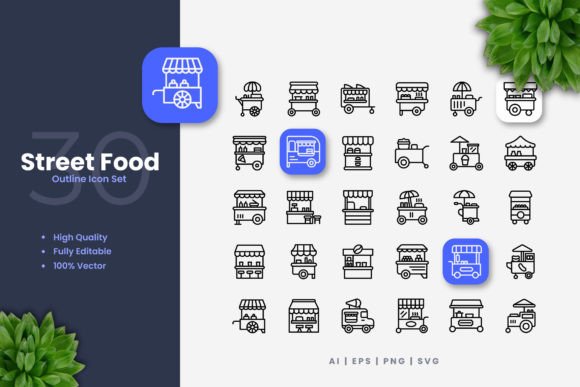
A common oversight, especially for beginners, is underestimating the importance of true vector file formats. Many downloadable "icon packs" are merely collections of PNG or JPEG files. While these can work for a single use at a fixed size, they become a major headache when you need to adapt. You can't resize them without losing quality, changing colors is impossible, and adjusting the line weight to match your brand's typography is out of the question. The Street Food Icons set is built as 100% vector graphics, meaning every hot dog, taco, and coffee cup is defined by mathematical paths, not pixels.
This is crucial because professional projects always evolve. Your client might decide the mobile app needs larger touch targets, or your print banner needs to be a different dimension. With vector source files (like the included AI, EPS, and SVG), you simply open them in software like Adobe Illustrator or CorelDRAW and resize infinitely without any degradation. You’re also not locked into the original color scheme. If your brand uses a specific palette of orange and gray, you can recolor every icon to match in minutes, ensuring perfect brand consistency across all your materials—from flyers to social media posts.
Overlooking Editable Stroke Can Limit Your Style
Another detail often missed is the editable stroke. The stroke is the outline weight of the icon. A set with a fixed, thick stroke might look great on a poster but feel clumsy and heavy on a sleek website interface. Conversely, a thin stroke might not have enough presence on a printed flyer. With Street Food Icons, the stroke isn't a permanent feature; it's a customizable parameter. This allows you to tailor the visual weight of the icons to complement your surrounding design elements.
For example, if you're using a bold, heavy font for headlines, you might increase the icon stroke weight to create a cohesive, robust feel. If your design is minimalist and uses a light typeface, reducing the stroke creates a more delicate, clean alignment. This level of control prevents a jarring mismatch in style, which can subtly undermine the professionalism of your overall presentation. It turns a generic icon set into a tailored design component.
The Pitfall of Incomplete File Packages
Before downloading or purchasing any icon collection, a practical step is to scrutinize the "Files Included" list. It's surprisingly common for sets to offer only one file type, like SVG, which might not be compatible with all your team's software or workflows. A missing EPS file could hinder a print designer, while a lack of transparent PNGs might slow down a web developer who needs quick placeholder images.
The Street Food Icons package addresses this by providing a multi-format toolkit: the editable AI source, EPS for broad vector compatibility, SVG for modern web and app development, and ready-to-use PNGs with transparency for immediate drag-and-drop tasks. The included readme file also offers clear guidance. By ensuring you have this range, you avoid the frustrating scenario of buying an asset only to discover it won't work with a key part of your project pipeline, causing delays and requiring you to find supplemental solutions.
Applying Icons Contextually for Maximum Impact
Even with a perfect technical asset, how you apply it matters. A mistake is using icons as mere decoration, dropping them randomly without a communicative purpose. Each icon in Street Food Icons is a clear, simple representation of a street food item. Their strength lies in functionality: use them to visually categorize menu sections on a website, denote food options in an app's filter, or illustrate steps in a culinary infographic about food preparation.
A better approach is to plan their use strategically. For a restaurant's website, instead of just placing a burger icon next to the "Our Menu" headline, use specific icons (like the burger, fries, and drink) within the menu list itself to create a quick visual scan for customers. In an educational flyer about world street foods, use the icons as consistent visual anchors for each country's section. This transforms them from graphics into a functional visual language that enhances user understanding and engagement.
Checking Compatibility with Your Workflow
A final piece of advice before committing to any icon set is to honestly assess your own or your team's technical comfort zone. The premium feature of Street Food Icons is its customizability via vector software. However, if no one in your project has access to or basic knowledge of Illustrator or CorelDRAW, you would primarily rely on the PNG files, missing out on the core benefits of resizing and recoloring. In that case, you might need to pair this set with a plan to learn basic vector editing—a worthwhile skill for any creator—or ensure the provided PNG sizes directly meet all your anticipated needs.
For professionals and marketers, this set is a time-saving repository. Instead of commissioning custom illustrations for every street food project or painstakingly stitching together icons from different sets with mismatched styles, you get a coherent, comprehensive library. You maintain a consistent visual theme across all your channels—banners, books, social media, apps—which builds stronger brand recognition and trust with your audience. By avoiding the common pitfalls of non-vector assets, incomplete files, and decorative misuse, you leverage Street Food Icons as a practical, long-term design investment that scales and adapts with your creative needs.